Before you start: Basic HTML and JavaScript; introductory Python helps.
Your toolkit: HTML · JavaScript · Python · SQL
Your learning path
1Trace a web request
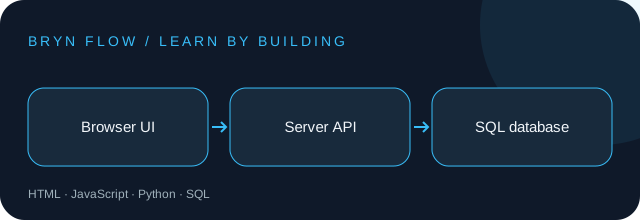
The browser sends an HTTP request to a server. The server checks the request, reads or writes data, and returns a response. A frontend component should not contain a private database password. Draw the boundary before choosing React, Django, or another framework.
Try it: Use your browser’s Network panel to inspect a GET request: method, status, response body, and content type.
2Build an accessible form
Use a real form, explicit labels, a submit button, and visible validation feedback. Handle loading, success, empty, and error states. Native HTML gives keyboard users a usable foundation before JavaScript is added.
Try it: Build a title field that is required and limited to 120 characters. Test submission using only the keyboard.
3Define an API contract
GET /tasks lists tasks; POST /tasks creates one. Validate types and lengths again on the server because client checks can be bypassed. Return suitable status codes and a predictable error body. Check response.ok before treating fetch as a success.
Try it: Write examples of a valid create request and an invalid empty-title request, including the expected responses.
4Store data safely
Use a primary key and parameterized queries. A transaction groups related writes so partial failure does not leave inconsistent data. Add ownership to records before making a multi-user app; knowing a task ID must not grant permission to edit it.
Try it: Create tasks(id, owner_id, title, completed). Verify that a user can only update their own task.
5Test the important boundaries
Test invalid input, failed database operations, and an unauthorized update. Keep user text as text when rendering it; avoid inserting it through innerHTML. A useful integration test sends a request through the actual API and verifies the stored result.
Try it: Attempt an update as a different user and expect a denial even when the record ID is valid.
6Deploy a small complete product
Use environment variables for server credentials, HTTPS, structured error logs, and a database backup plan. Run checks before merging. Keep a rollback path and verify the live app can create, list, and complete a task after deployment.
Try it: Write a README with setup, environment variable names, test commands, and a deployment checklist.
A worked example
Use this small example to connect the lessons to code. Read the comments before running it.
async function loadTasks() {
  const response = await fetch("/api/tasks");
  if (!response.ok) throw new Error("Could not load tasks");
  return response.json();
}
// Render task titles with textContent, not innerHTML.
PUT IT INTO PRACTICE
An accessible task tracker with an API
Build the project described in the lessons, then verify these acceptance criteria:
Invalid titles are rejected on the server.
Users cannot edit another user’s tasks.
Loading and network errors have visible states.
Deliverable: your source code, a short README, and evidence for each check. Explain one tradeoff you made.