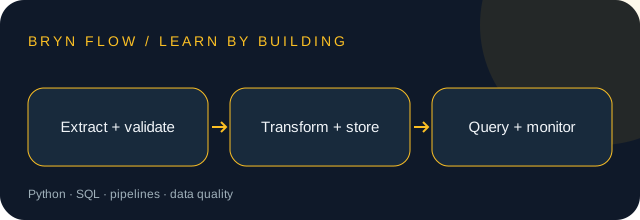
Before you start: Basic Python and introductory SQL. A small local dataset is enough.
Your toolkit: Python · SQL · pipelines · data quality
Your learning path
1Define a data contract
A pipeline moves data between systems while preserving meaning. Define field names, types, units, and missing-value rules before loading rows. A number without its currency or timestamp convention is easy to misinterpret.
Try it: Describe a sales row with order_id, amount_cents, and ordered_at. State which fields are required.
2Extract and validate
Read a CSV using the csv module so quoted commas are handled correctly. Validate required fields and numeric ranges. Quarantine bad rows with a reason instead of silently discarding them; record input counts so losses are visible.
Try it: Prepare one valid row, one missing ID, and one invalid amount. Report accepted and rejected counts.
3Transform with explicit rules
Normalize formats and deduplicate using a stable business key. Record which record wins when duplicates disagree. Keep an untouched copy of raw inputs so you can debug or replay a transformation later.
Try it: Define how duplicate order IDs are handled and test the rule with two conflicting rows.
4Load idempotently
An idempotent pipeline can be rerun without doubling its output. Use unique keys and a deliberate upsert or replacement strategy. Transactions prevent a partially completed load from looking like success.
Try it: Run the same batch twice and verify that the order count and revenue total stay the same.
5Use SQL to make results explainable
GROUP BY summarizes rows; joins connect related tables. Check the grain of each table before joining: joining one order to many order items can multiply a total. Keep money as integer minor units or an appropriate decimal type.
Try it: Compare row counts before and after a join. Explain any increase before reporting totals.
6Monitor freshness and quality
A pipeline can finish successfully with stale or incomplete data. Track last successful input time, row counts, rejected rows, and a few business invariants. Alerts should describe the broken expectation and where to inspect the run.
Try it: Write checks for unique IDs, non-negative amounts, and a freshness target appropriate to your data.
A worked example
Use this small example to connect the lessons to code. Read the comments before running it.
import sqlite3

with sqlite3.connect(":memory:") as db:
    db.execute("CREATE TABLE orders (id TEXT PRIMARY KEY, cents INTEGER)")
    batch = [("A1", 1250), ("A2", 500)]
    for _ in range(2):  # replay the same batch
        db.executemany(
            "INSERT INTO orders VALUES (?, ?) "
            "ON CONFLICT(id) DO UPDATE SET cents=excluded.cents", batch)
    print(db.execute("SELECT COUNT(*), SUM(cents) FROM orders").fetchone())
    # (2, 1750): replay did not duplicate revenue
PUT IT INTO PRACTICE
A repeatable CSV-to-SQL sales report
Build the project described in the lessons, then verify these acceptance criteria:
Invalid rows have visible rejection reasons.
Replaying a batch does not change totals.
A stale input triggers a freshness failure.
Deliverable: your source code, a short README, and evidence for each check. Explain one tradeoff you made.