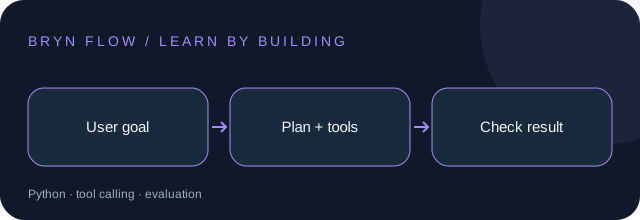
Before you start: Basic Python, functions, JSON, and HTTP requests.
Your toolkit: Python · tool calling · evaluation
Trending selection reviewed : GitHub’s 2026 Octoverse reports growing agent-driven development. Read the report. This is an editorial selection, not a live popularity ranking.
Your learning path
1Workflow or agent?
A workflow follows steps you wrote in advance. An agent chooses its next action from observations. If a task is simply fetch → summarize → save, fixed steps are easier to debug. Use an agent only when the next step depends on what a tool returns.
Try it: Write down a support-ticket task. Mark which decisions need a model and which can be ordinary Python.
2Design a small tool contract
A tool needs a name, a description, validated inputs, and a predictable result. Keep the first version read-only: searching a local FAQ is enough. Reject unknown fields and invalid types before a tool executes. Model-generated arguments are untrusted input.
Try it: Define lookup_faq(query: str) and return a JSON object with answer and source fields.
3Bound the loop
The controller sends the goal and available tools to the model. It validates any requested call, executes it, adds the result to context, and asks for the next step. Stop after a fixed number of steps, on repeated failures, or when a final answer is available.
Try it: Set a three-call budget. Make an unknown tool request fail with a clear error instead of executing arbitrary code.
4Keep instructions separate from data
A retrieved page may contain text telling the agent to ignore its rules. That text is data, not permission. Keep tool access narrow, redact secrets from traces, and ask for human approval before sending messages or changing records.
Try it: Add a fake instruction inside a FAQ document. Check that it cannot authorize another tool.
5Evaluate behavior, not eloquence
Create cases for a normal question, missing information, a malformed tool argument, an unavailable tool, and an instruction hidden in a document. Score correct tool use, grounded answers, and whether the agent stops. Log latency and call counts alongside correctness.
Try it: Run the same cases after a prompt change. Keep the old version if tool correctness gets worse.
6Build a ticket-triage assistant
Use three sample tickets and a local FAQ. Return category, suggested response, and evidence. Draft only; a human chooses whether to send the response. This gives you a useful automation without granting the model email access.
Try it: Deliver a CLI that reads a ticket, uses at most three FAQ lookups, and prints a reviewable JSON draft.
A worked example
This controller sketch is pseudocode; lookup_faq must be implemented before using it.
MAX_STEPS = 3
allowed_tools = {"lookup_faq": lookup_faq}
# Controller outline (pseudocode):
# validate request → call an allowed tool → record observation
# stop on final answer, repeated failure, or MAX_STEPS
PUT IT INTO PRACTICE
A local ticket-triage assistant
Build the project described in the lessons, then verify these acceptance criteria:
An unknown tool is rejected.
Missing evidence produces an explicit “I do not know”.
No response is sent without review.
Deliverable: your source code, a short README, and evidence for each check. Explain one tradeoff you made.